Try our *UPDATED* boardview, bios, & schematic search. Over 2.3 million files for download!

Philips NVM.bin Collection.- no Chat only upload / download

Collapse
This is a sticky topic.
X
X
 
  • Time
  • Show
Clear All
new posts
  • Diah
    Badcaps Legend
    • Feb 2013
    • 6763
    • Germany

    #1

    Philips NVM.bin Collection.- no Chat only upload / download

    this threat collection of NVM.bin of Philips LCD / OLED TVs, recently many users faced problem with Displaying and Penal Code at time replacement of MB.

    please when you own NVM file upload in this threat and name the TV Model..

    2k17_TPM172E_N2O_NVM_v59 ( 130 EU Model ) ( 12 RUS Model )
    2k17_TPM171E_2k18_N2O_NVM_v59 ( 130 EU Model ) ( 12 RUS Model )

    Attached Files

    Premium supporters get full download access and other benefits.

  • Diah
    Badcaps Legend
    • Feb 2013
    • 6763
    • Germany

    #2
    HOW TO;

    download and find your TVs model..
    rename the file to NVM.eed and copy it on the root of USB stick smaller as you have formatted FAT32 MBR Mode
    plug the TV out from the wall socket and plug the usb at USB 2 ( Black on the side )
    Plug the TV in wall , and leave it to upgrade.. after it finish the Tv could reboot 2 time... plug the USB out
    you are Done the protection removed from the TV chassis.

    Comment

    • iuliantv
      Member
      • Aug 2009
      • 39
      • Romania

      #3
      nvm bin
      Attached Files

      Premium supporters get full download access and other benefits.

      Comment

      • FluxFlags
        New Member
        • Sep 2026
        • 6
        • Germany

        #4
        ----------------------------------------------------
        this is not directly connected to the case before, but
        just in case someone needs it to repair a TV. I downloaded unchanged original NVM Data for the TV Set:

        Philips 49PUS7502/12
        chassis TPM171E_R
        SW TPM171E_R.107.001.143.000

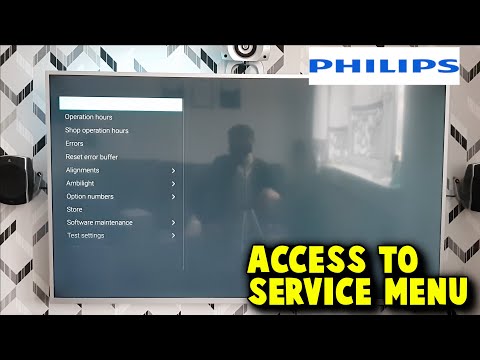
        It can be loaded to the TV via Service Menu from the root partition of an USB Stick in USB 2 Port. It is the 16th Point in the Menu to fetch Data from Stick. "Download from USB"

        Attached Files

        Premium supporters get full download access and other benefits.


        Comment

        • tom66
          Back Again?
          • Apr 2011
          • 32842
          • UK

          #5
          Made this sticky as it could be useful. Let's see.
          Please do not PM me with questions! Questions via PM will not be answered. Post on the forums instead!

          For service manual, bios, schematic, boardview (board view), datasheet, cad - use our search.

          Subscribe to support us. It only takes 1 minute: https://www.badcaps.net/settings/subscriptions

          Comment

          Related Topics

          Collapse

          Working...