Try our *UPDATED* boardview, bios, & schematic search. Over 2.3 million files for download!

Dell Precision T7910 no bios, no post after applying SAS/RAID setup

Collapse
X
 
  • Time
  • Show
Clear All
new posts
  • bmxlovah
    New Member
    • Nov 2022
    • 2
    • Poland

    #1

    Dell Precision T7910 no bios, no post after applying SAS/RAID setup

    Hi,

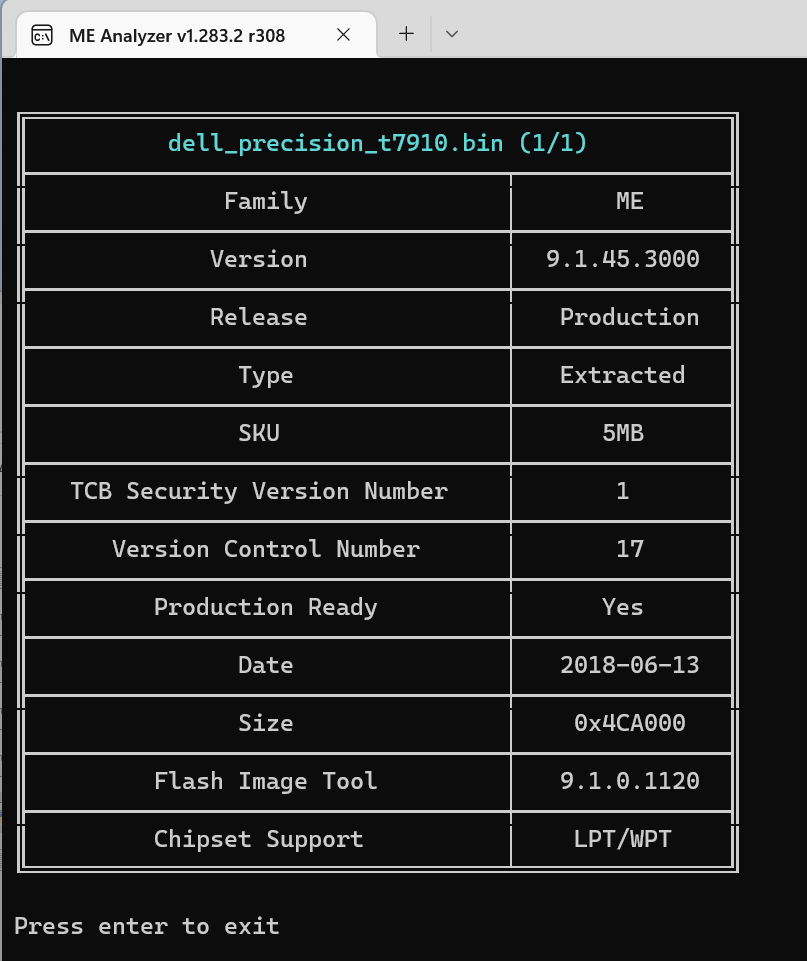
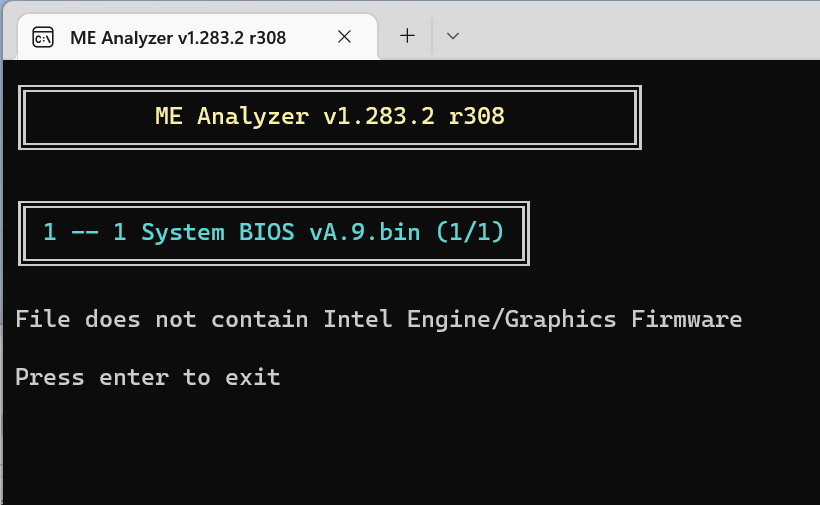
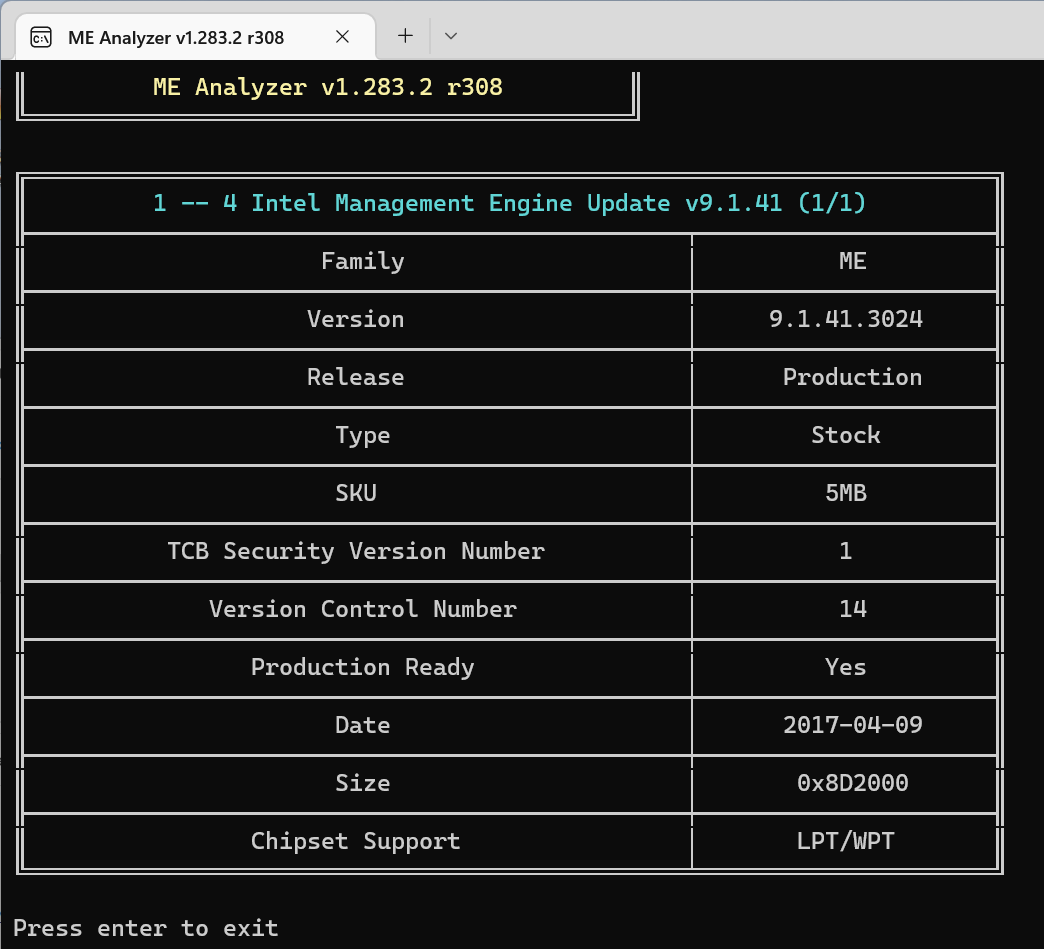
    My Dell Precision T7910 died after enabling onboard SAS controller and applying RAID settings. There were no hardware changes between working and not working state, only setup (via bios -> controller settings). After applying settings and reboot PC turns on, flash leds (normally) but there's no further action, it just stays on with no graphics and no keyboard led's on. There's no Dell logo, nothing. I've tried resetting bios by jumper, replacing cpu's, replacing ram, removed/replaced cmos battery, disconnecting all drives etc. I've also dumped .bins from mobo chips SLI1 (16 mb file, chip MX25L12873F) and UL3 (4mb file, chip MX25L3206E), bigger one (SLI1 16mb) as far as I found on the internet should be the one with bios, no idea what UL3 is . I've extracted bin files from dell's exe bios updaters (via Dell PFS extractor) but they are completely different comparing to the dumped from mobo's chip. I also used MEAnalyzer to see if it contains Intel ME - original one has it, extracted from dell's bios exe does not (file called 1 -- 4 Intel Management Engine Update v9.1.2.1010.bin has it - same version). Can anyone look at this and tell me what should I do with this? I have completely no idea what I'm doing honestly .

    hardware:
    DELL Precision T7910 XL Tower (service tag: 80H58C2, exp. service tag: 17443056242)
    Mobo XRP8R (PN 02TPVG)
    2x Xeon E5-2640V3
    2x Hynix 16GB PC4 2133 ECC-REGISTERED
    Nvidia Quadro NVS 295
    4x SAS HGST 900GB 10K RPM model: HUC101890CS4204
    Samsung SSD 2,5” 480GB SATA – system

    Dumped bios:

    Bios from dell downloads (extracted exe->bin):

    Intel Management Engine file from dell's bios exe:

    Output from extracting dell's bios exe:
    Attached Files

    Premium supporters get full download access and other benefits.

    Last edited by SMDFlea; 04-28-2024, 03:40 PM.
  • Slavol
    • May 2015
    • 90
    • Poland

    #2
    Re: Dell Precision T7910 no bios, no post after applying SAS/RAID setup

    Your ul3 file is empty.
    Here is my dump - try
    Attached Files

    Premium supporters get full download access and other benefits.

    Comment

    • demon moner
      New Member
      • Jun 2021
      • 2
      • cairo

      #3
      plz ineed dump dell precision tower 7910
      8 mb @4 mb
      Last edited by demon moner; 04-28-2024, 08:48 AM.

      Comment

      • SMDFlea
        Super Moderator
        • Jan 2018
        • 25739
        • UK

        #4
        Originally posted by demon moner
        plz ineed dump dell precision tower 7910
        8 mb @4 mb
        Post the service tag and backups - https://www.badcaps.net/forum/troubl...before-posting

        Comment

        Related Topics

        Collapse

        • Darksands
          Need clean BIOS dump: Dell Pro 14 Plus PB14250 (CMF34 Rev: A00) - Freezes on Dell logo
          by Darksands
          [SOLVED]

          Laptop: Dell Pro 14 Plus, PB14250
          Motherboard: PWB CMF34, Rev (A00).
          Service Tag: 3YLQ8F4.
          CPU: Intel® Core™ Ultra 5 processor 238V (8M Cache, up to 4.70 GHz) FCBGAEXX, Tray. Ordering Code: QQ8076606106. Spec Code: SRPN5.
          BIOS Flash Chip: Winbond 25R512NWEQ.
          BIOS version (via ME Analyzer by TechNoDev): 20.0.11.1815_COR, FITC 20.0.0.1329, SKU Corporate.

          Symptoms & History: Initially, a black screen appeared, then the laptop rebooted, entered BIOS Recovery, and the flashing process started. After the flash and a reboot, it freezes...
          09-13-2026, 03:15 AM
        • FusionRevolution
          Dell Precision T5820 BIOS Recovery
          by FusionRevolution
          Greetings comrades:

          I am nearing the home stretch of my BIOS recovery project; however, I reach a point where I must ask a community of hopefully astute members who would help to send this project across the finish line. I successfully completed the BIOS extraction with a Python utility which produced a pair of outputs that I have attached as a Zip file. Frankly I do not know what to make of such results and wondering I can proceed to program the chip with the System BIOS with BIOS Guard [V0 AMI] v2.42.0.bin or I have more work to do for preparing the files for re-flashing. I will
          ...
          05-07-2026, 05:47 PM
        • smaikop
          Dell Precision T1700 BIOS Password Removal Request (Service Tag: Cq1pc42-1f66)
          by smaikop
          Hello everyone,
          Could someone please help me remove the BIOS administrator password from my Dell Precision T1700 SFF?
          I have read the original locked dump directly from the 8MB BIOS chip using a CH341A programmer. Here are the exact details of my system:
          • Model: Dell Precision T1700 SFF
          • Service Tag / System Number: Cq1pc42-1f66
          • Main BIOS Chip (8MB): N25Q64A
          • Secondary Chip (4MB): N25Q32A
          I have attached the zipped 8MB original locked BIOS dump (N25Q64A) to this post. (Note: Please let me know if you also need the 4MB N25Q32A dump for Clean ME or syncing).
          Thank you in advance...
          11-11-2026, 02:31 PM
        • MJ-14
          Dell Precision 7560 - BIOS Password Unlock Request
          by MJ-14
          Hi everyone,

          I need some help removing the BIOS administrator password on a Dell Precision 7560.

          Here are the technical details:
          • Laptop Model: Dell Precision 7560
          • BIOS Chip: XMC QH128AHIG (16MB)
          • Hardware used: CH341A Programmer with NeoProgrammer

          I successfully created a verified 16MB dump of the original BIOS. I already tried to patch it myself using the dellpwn tool, but it aborted with the error message "bios vendor unknown".

          Since this seems to be a newer generation Dell architecture (possibly Insyde), the automated tools don't seem...
          09-11-2026, 11:15 AM
        • Tesla
          Dell XPS-15 (9520) Mostly Bricked after common BIOS-Firmware upgrade - Full Repair Log
          by Tesla
          I have a Dell XPS-15 (9520) with the LA-L402P motherboard. It seems to have bricked itself after a common BIOS-Firmware upgrade. Now, it just shows BIOS screen for a few seconds before turning-itself back Off (and doesn't seem to be fully Posting). I've done these many times before with no problems.

          I was hoping to please have my own-thread to work-through this (hopefully successful) repair as a whole. Apart from the possible need to have a BIOS-dump fixed-up, I have a feeling I'm going to have other questions. This includes using my new XGecu-T76 for the first time (should be here...
          03-19-2026, 07:51 PM
        • Loading...
        • No more items.
        Working...